My recommended Anki add ons
I’ve used Anki regularly over the past 6 years.
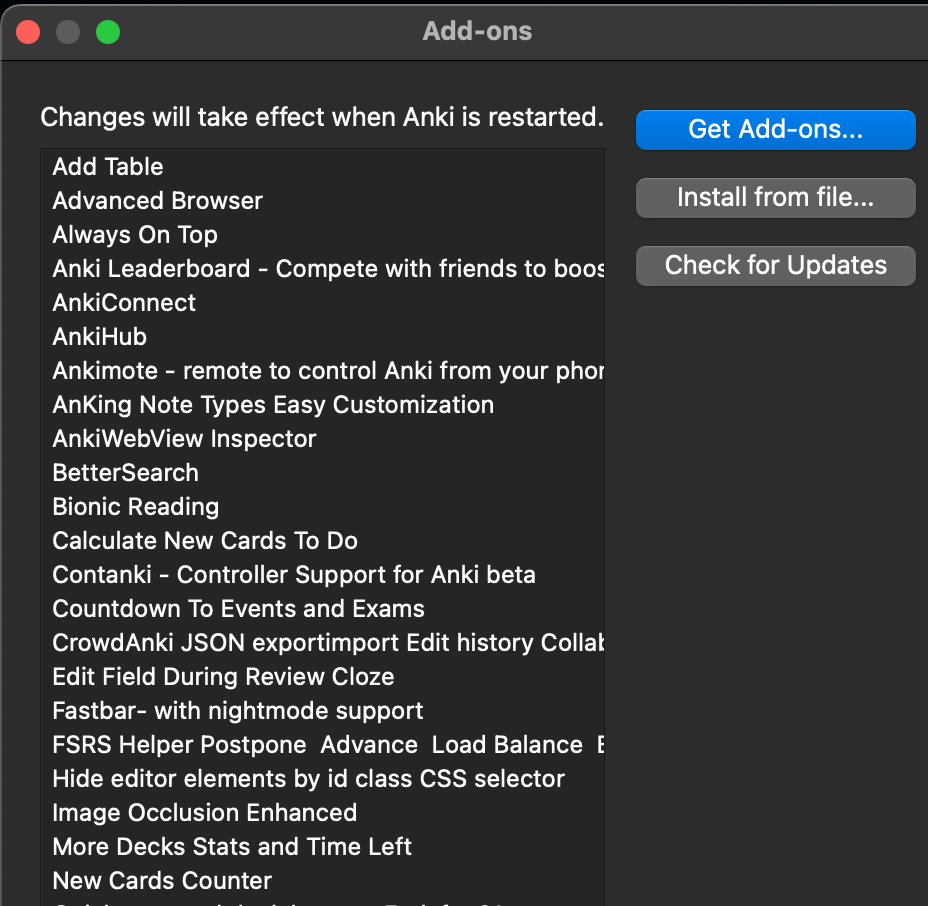
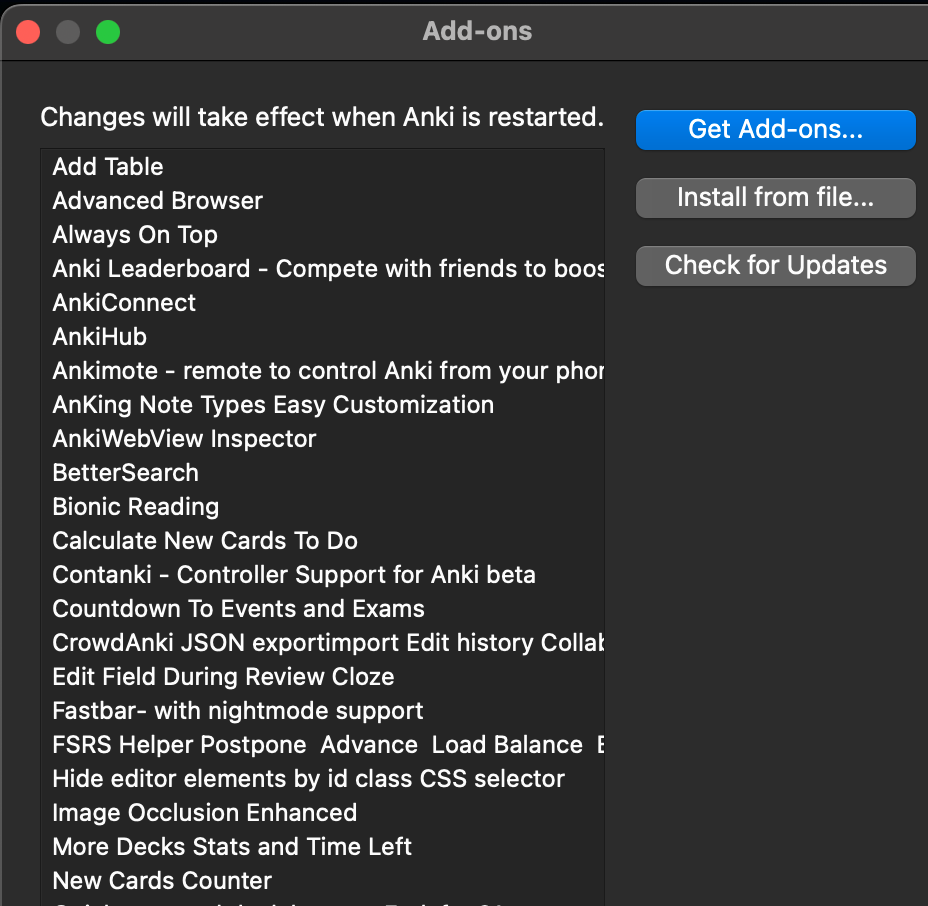
Here’s a picture of my add-on list:
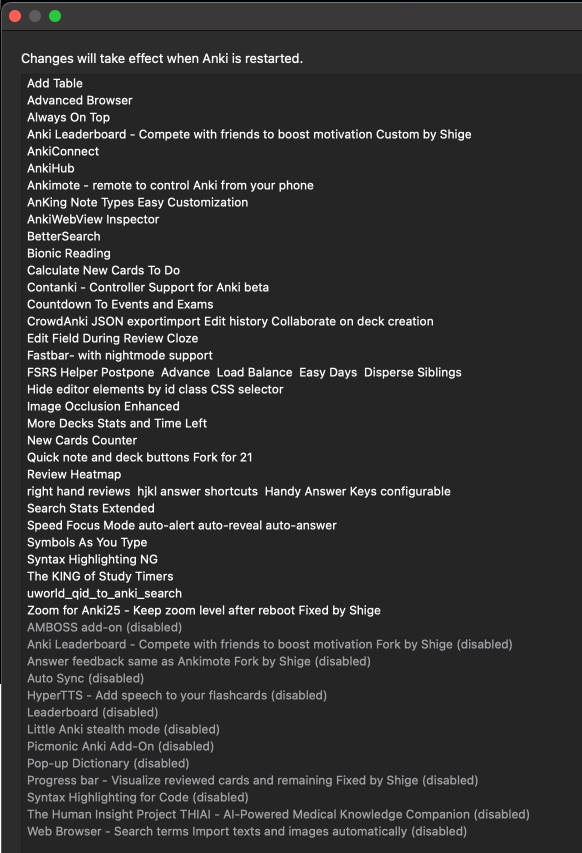
Below are my recommended anki add ons, and also their corresponding codes to use!
Advanced Browser - Improves the browser by adding columns. Not super useful but a nice, passive improvement.
Always on Top - Enables Anki to remain as a floating window above other windows at all times, super useful to avoid tabbing constantly to add cards.
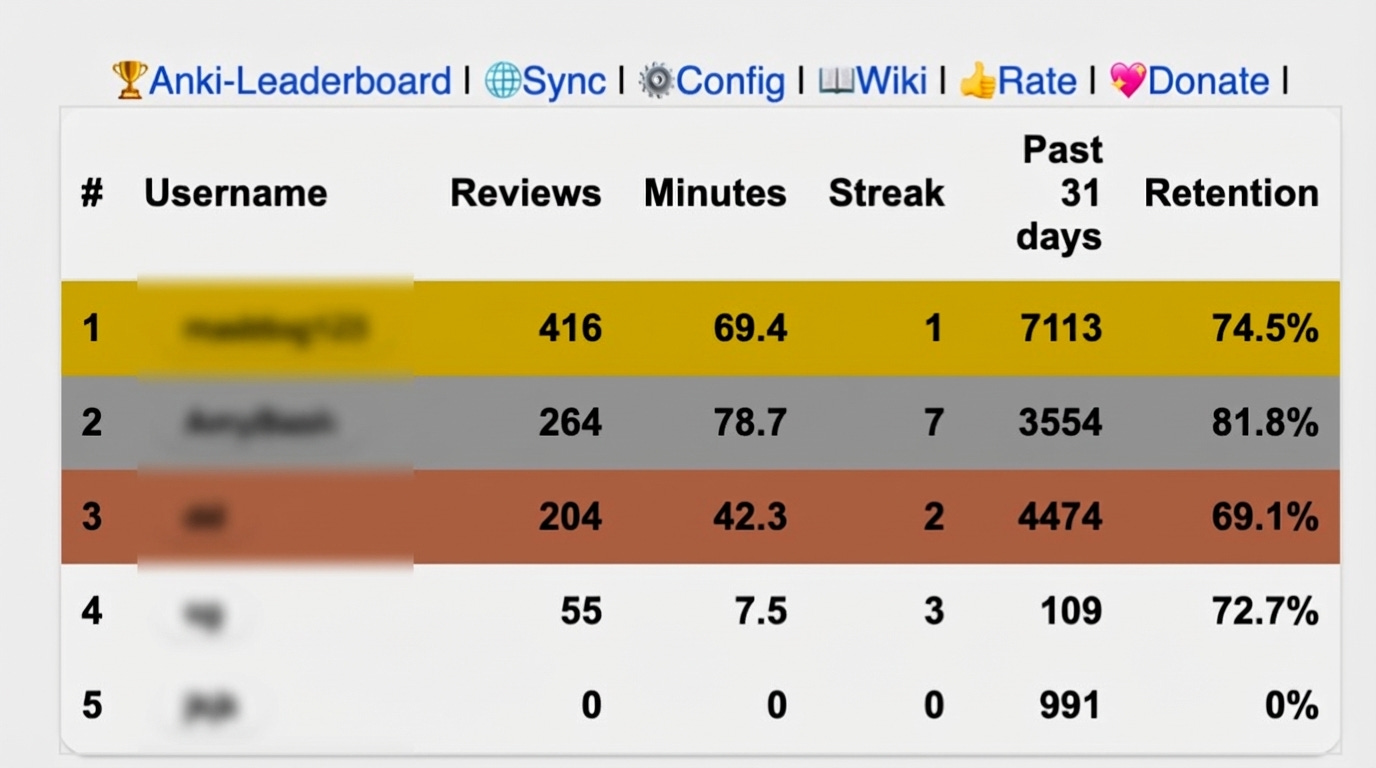
Anki Leaderboard - Extremely useful for motivation, especially if you have friends who also use Anki. Feel free to add me on it, my username is gore!
AnkiConnect - Allows Anki to connect with other apps via an HTML API. Super useful for random integrations that others have made.
AnkiHub - Useful for medical students, a hub for shared collaborative decks. Especially useful for the USMLE, however there is a subscription required to access the decks.
Ankimote - Kinda gimmicky, displays a QR code which allows you to use your phone as a controller for Anki. I highly recommend buying an actual controller, it makes reviews a lot easier.
BetterSearch - Improves the browse experience, allows you to easily set filters. Useful if you’re not experienced with Anki and know how the search filters work.
Calculate New Cards To Do - Displays how many new cards you need to finish per day after configuring an exam date. Requires an Anking VIP subscription, not worth it for just this add-on imo.
Event Countdown - Displays a countdown for events you set on the Anki home screen. Good to see progress and can help with motivation.
Edit Cloze during Review - Allows you to quickly edit cloze cards while reviewing without opening the edit window, by holding down CMD or CTRL. Super useful, every card I have is a cloze card and this saves a lot of time.
Fastbar - Another browser extension, super useful and synergises well with the other browser extensions I listed here.
FSRS Helper - Invaluable. Does all sorts of nice to have functions like distributing old reviews over a period of time etc. Will make a post on FSRS and this soon.
Image Occlusion Enhanced - Anki now natively supports image occlusion cards, but this is still a nice add-on to use.
More Deck Stats - Adds more deck statistics, honestly doesn’t really help too much but just nice to have and passively improves you.
New Cards Counter - Another Anking VIP plugin, displays the amount of new cards you have and how many you’ve reviewed over the week. Lowkey not that useful, other plugins have the same functionality.
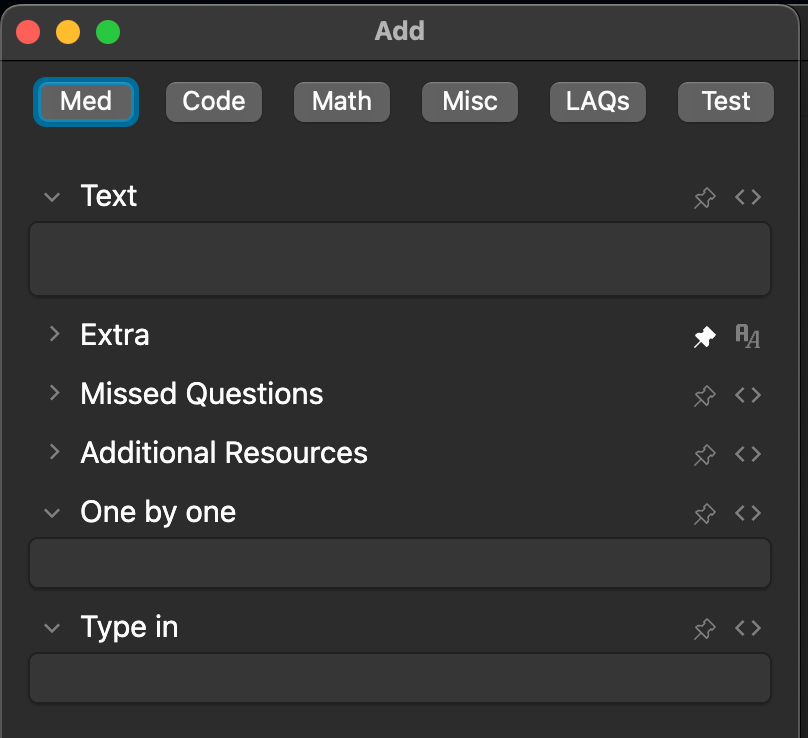
Quick Note and Deck Buttons - Super duper useful, can configure buttons in the ‘Add’ window of Anki to quickly change decks or note types. My setup looks like below, super easy to switch between my decks:
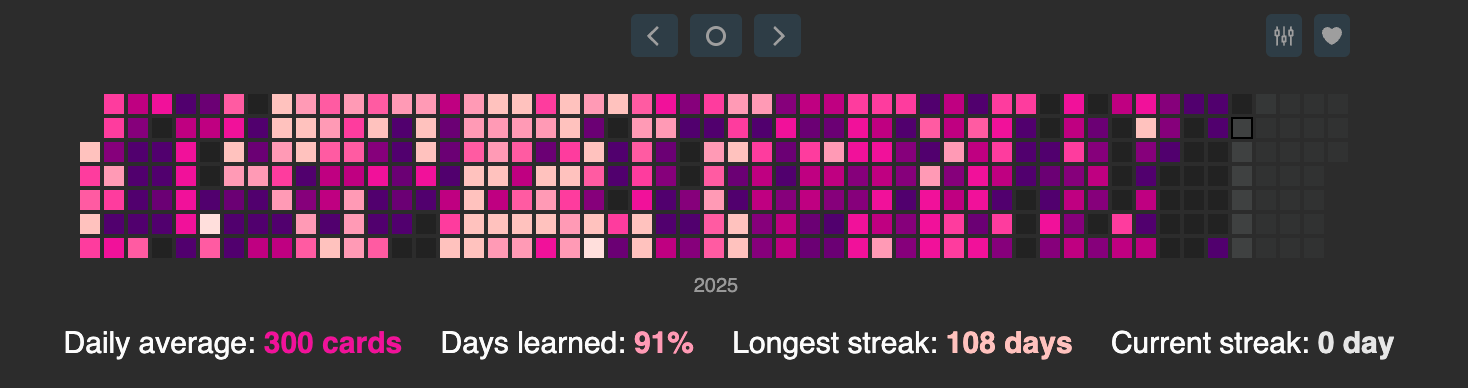
Review Heatmap - Extremely useful for motivation/gamification. Adds a customisable heatmap based on your reviews, mine as of right now is below:
Right-hand Reviews - Pretty self explanatory, just allows you to use “jkl;” to answer cards. Quite a nice to have add-on.
Search Stats Extended - Yet another browser add-on, works nicely with the others and gives more statistics.
Symbols As You Type - Really nice to have, replaces symbols as you type them e.g. -> turns into → automatically.
I’ve linked all the pages for the add ons above. For convenience and ease if you want to quickly add all my recommended add ons please copy and paste the code block below into the add-on page for Anki. I’ve only included the ones I think everyone should get and did not include ones that require a subscription/paid add ons.
874215009 1045980020 175794613 2055492159 1322529746 149004221 1052724801 1143540799 385888438 46611790 759844606 1374772155 1556734708 1331140127To navigate to the add-on page:
Go to your anki homescreen
Press CMD-SHIFT-A or CTRL-SHIFT-A
Press “Get Add-ons…” and copy and paste the codes above.
Let me know if you guys have any questions, hope you enjoyed!
Subscribe to the newsletter
Get the latest posts delivered right to your inbox.